
If you’ve ever copied a line from a PDF or an email and watched it transform into something like “እሩዠለá€áŒ‰áˆ”, you’ve run into a problem most people chalk up to “a weird font.”
It’s usually not a font issue at all. What you’re seeing is almost always an encoding mismatch: the text is still there, but the system reading it is interpreting the underlying data incorrectly. And if you publish haircare education (especially across languages), this tiny technical failure can snowball into confusion, poor results, accessibility problems, and even SEO headaches.
Here’s the part that doesn’t get talked about enough: encoding errors don’t just make text look ugly. They can quietly break the trust people place in your instructions-exactly the kind of step-by-step guidance that helps customers get consistent results with products like Viori.
NOT SURE WHICH PRODUCT IS RIGHT FOR YOU?
TAKE THE QUIZTakes 30 seconds · 134,000+ customers matched
What You’re Actually Seeing: Mojibake, Not “Bad Typography”
The technical term for garbled characters like the example above is mojibake. It’s what happens when text is decoded using the wrong character set. In plain language: the content was likely created correctly, but something in the copy/paste or publishing chain “read” it the wrong way.
This happens a lot when the original text uses a non‑Latin script (for example, Ethiopic/Geʽez characters used in languages like Amharic or Tigrinya). These scripts require multi-byte encoding in modern systems, and that’s where things can go sideways.
The Common Culprit: UTF‑8 Misread as an Older Encoding
Most modern websites and tools store text as UTF‑8, which supports nearly every writing system. Problems start when a tool in the middle assumes an older encoding-often Windows‑1252 or ISO‑8859‑1-and “helpfully” converts what it thinks it sees.
The important detail is that encoding isn’t one setting you flip once. It’s an end-to-end agreement. You can do everything “right” on your website and still end up with broken text if one step in your workflow fails.
Where the break usually happens
- Copy/paste from PDFs (PDF text layers can be surprisingly unreliable)
- CSV exports opened in spreadsheet software and saved back out
- CMS editors that sanitize or reformat characters behind the scenes
- Marketing platforms that rewrite punctuation and special characters
- APIs that don’t clearly declare the charset in their content headers
Why This Hits Haircare Brands Harder Than You’d Think
Haircare education isn’t just “nice content.” It’s operational. It tells people exactly how to use a product-how much, where to apply it, how long to leave it, and what to expect.
When encoding breaks, you don’t just lose polish. You risk losing clarity in the places that matter most.
1) Technique instructions can become unclear
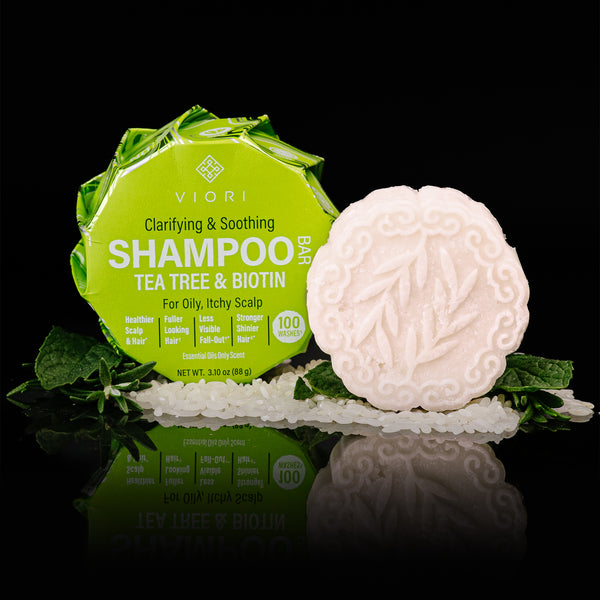
With bar formats especially, technique matters. Viori’s guidance around building lather in your hands (instead of rubbing the bar directly on your head) is a great example of a detail that can affect experience-particularly for people trying to preserve color or minimize friction.
If punctuation or key words get mangled in translation, you end up with customers thinking the product isn’t working, when the real issue is that the instructions didn’t survive the journey intact.
2) Ingredient and sensitivity information can become hard to verify
Many shoppers double-check ingredient names, look up what something does, or try to confirm whether a product fits their needs. When encoding corruption breaks ingredient strings, it can make research harder and create unnecessary doubt-especially for customers with sensitivities who rely on clear labeling and clear explanations.
3) Accessibility can fail quietly
Screen readers and assistive tools depend on clean, meaningful text. When content turns into mojibake, it often becomes exhausting or impossible to navigate. That’s not just frustrating; it’s exclusionary.
4) International SEO and analytics can take a hit you don’t notice right away
This is the sneaky part. Garbled headings, meta titles, and descriptions can make pages harder for search engines to understand. Even worse, analytics can split the same phrase into multiple corrupted variations, so performance data becomes muddy and hard to act on.
The Mechanics (In Human Terms): Why the “ኅ” Pattern Happens
Here’s the simplest accurate explanation: many scripts require multiple bytes per character in UTF‑8. If a system reads those bytes as if they were single-byte characters from an older Western encoding, each piece shows up as a random accented letter or symbol.
That’s why you often see “clusters” of strange characters. One intended character can turn into several wrong ones.
How to Prevent This: Treat Encoding Like Hair Integrity
In the salon, you don’t protect hair at just one step. You protect it through the entire process-consultation, formula choice, application, rinse, and aftercare. Encoding works the same way: the whole pipeline has to cooperate.
WHAT CUSTOMERS ARE SAYING
Real reviews for Tea Tree Shampoo Bar – Oily & Itchy Scalp | VIORI
Protect the full workflow (not just the website)
- Use Unicode-safe storage across your database and CMS so multilingual text isn’t “downgraded” when saved.
- Make sure your systems declare UTF‑8 clearly when sending pages, feeds, and API responses.
- Be cautious with spreadsheets for translations and SEO fields; they’re one of the most common places text gets corrupted.
- Check metadata as carefully as body copy (titles, descriptions, social preview text, and structured data are frequent failure points).
- Add automated checks that flag common mojibake patterns before anything goes live.
A Practical “Before You Publish” Checklist
If you’re publishing education content-especially anything instructional-this quick routine prevents most encoding disasters:
- Keep one source of truth for your final copy (and avoid re-copying from PDFs whenever possible).
- Spot-check key fields: page title, H1, meta description, and social share preview.
- Watch for telltale fragments like “Ô, “—, “’”, or repeated accented clusters.
- Test accessibility by running text through a screen reader or accessibility preview tool.
- Have a native reader review translations when you’re publishing in additional languages.
If You Want the Original Meaning of the Garbled Phrase
One thing I won’t do is guess the intended meaning from corrupted text alone. The same “broken” string can come from multiple original inputs, so it’s easy to be confidently wrong.
If you want me to recover and analyze the original phrase, send it in one of these formats:
- a screenshot where the text appears correctly
- the original PDF snippet (a photo is fine)
- the phrase typed in its native script
Once the text is clean, I can build a truly topic-specific deep dive that keeps the technical integrity-and stays readable.
Bottom Line: Clear Text = Better Results
Great haircare guidance is built on details: timing, technique, placement, and expectations. Encoding is the behind-the-scenes equivalent of that. When it’s protected end-to-end, your message stays intact-and people can actually follow your routine the way it was intended, whether they’re reading about Viori in English or in another language.


